InsureMEP CriticalAsset
InsureMEP for brokers Send an address

The walk · CriticalAsset app · pattern of life

Find the valve. Before 2 AM.

Located. Photographed. Placed in 3D.

Our field team walks your client’s building with the CriticalAsset app. Rooms become a 3D model and a plan; shutoffs, panels and risers are photographed and placed where they are. Then the building’s own work orders show its pattern of life.

The CriticalAsset app →

White-studio isometric 3D model of a multi-room floor assembled from a LiDAR capture, with a small orange marker at a recorded emergency control.
A multi-room 3D model assembled from a LiDAR walk with the CriticalAsset app; the orange marker is a recorded control.

01 · The 3D replica

LiDAR in. A 3D replica out.

A walk with a LiDAR iPhone or iPad turns rooms into a 3D model and a floor plan. It stays a draft until someone reviews the room joins and any missing areas — then every control, route and work order hangs on it.

White-studio isometric 3D model of two connected rooms from a saved LiDAR capture.
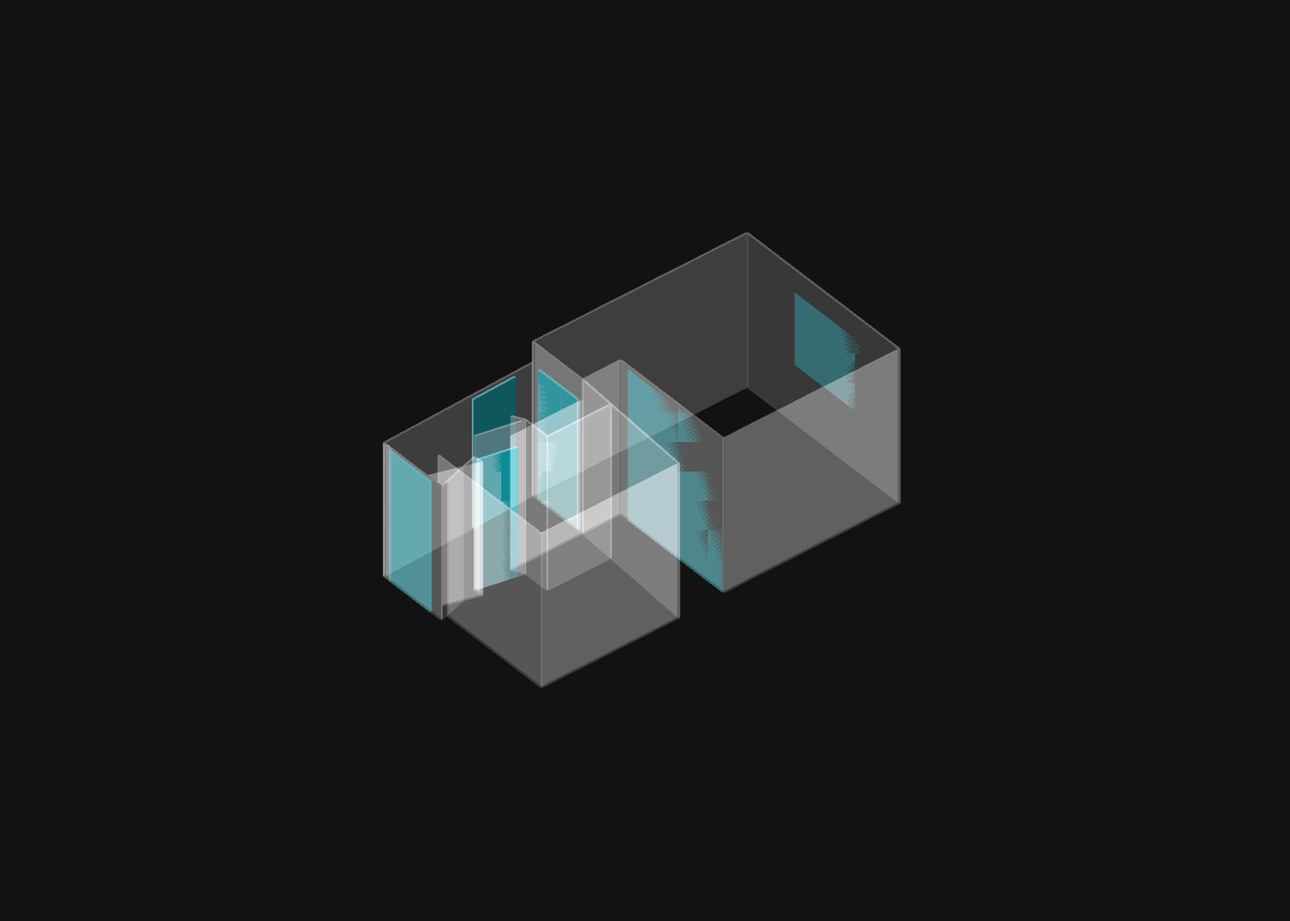
The same two-room capture rendered as a translucent glass model on black, with openings tinted cyan.
The same saved capture, drawn two ways: solid walls, and see-through so walls don’t hide what sits behind them. Drag across to compare.
  1. ScanEach room captured with LiDAR on the walk.
  2. JoinRooms assembled into a floor: a clean white model.
  3. PlaceRecorded controls marked with orange rings.
  4. ReviewA draft until the room joins and missing areas are checked by a person.
9 in 10

Nearly nine in 10 liquid damage claims, in FM’s experience, come from buildings with “liquid lines behind finished interiors” — offices, hospitals, hotels, retailers, universities.

FM, “Simple solutions to prevent liquid damage” · 2026

Moves CARSAsset graph completeness

Commercial Capture tab: 'Capture what's here.' with a Capture button, an Emergency controls entry, the note 'Photos now. Add a room or map when ready.', Recent captures, Add files and Specialist capture & tools.
The commercial Capture tab: photograph first, then file it to a room or plan when ready.
Web app Explore view in 3D: a saved capture of a room on the ground floor with two equipment markers, an equipment list with Main water shutoff and Exhaust fan, and buttons for Emergency controls, Present and Share.
The web app's Explore view opens a saved capture with equipment, such as the main water shutoff, placed in 3D.

02 · Emergency controls & shutoffs

Find a control. Record how to reach it.

On the walk the app asks for each control in turn — water and gas shutoffs, main disconnects and panels, fire risers. Each gets a photo taken on the spot, a room and a place in 3D. What can’t be recorded is recorded as a gap.

  1. The app asks for each control

    Emergency controls screen: 'Find a control. Record how to reach it. Photos record location, not operating condition.' Cards for Water shutoff and Electrical panel, each with a capture button and 'Can't record it'.
    On the walk the app asks for each control in turn, and each one is photographed where it is.
  2. A photo, taken on the spot

    Add control sheet for a Water shutoff, saved on this device with the building to be set later, with Take photo, Choose existing photo and Camera source.
    Adding a water shutoff starts with a photo taken on the spot.
  3. What’s known — and what isn’t

    Assets & controls list filtered to Emergency: one asset, 'Field observations pending office review'. Main water valve 1, Ground · Hall, flagged Emergency control, observed Sep 24, 2026, function needs review, photo needed, room assigned, 3D position not measured.
    Each emergency control shows what is observed, what still needs review, and what has not been measured.
  4. Unknowns recorded, not hidden

    Review walk screen: Electrical panel and Gas shutoff each 'Not recorded yet' with Add photo and Record an outcome; then Share whole walk, Save walk to Files inbox, and 'Includes all original photos and recorded unknowns. Office review and server processing are separate steps.'
    A walk is shared with its unknowns included, and office review stays a separate step.

Anatomy of a recorded control

  • PhotoTaken on the spot, datedObserved
  • RoomFire pump / water service room · basementAssigned
  • PositionPlaced in 3D and pinned on the planPlaced
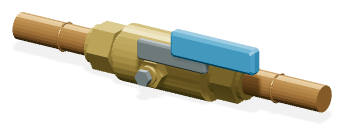
Product equipment artwork: a brass ball-type water shutoff valve with a blue lever handle. Main water shutoff · H-MPS-5 110 Central Park South · basement
  • AccessFire pump / water service room · after-hours role on the access matrixRecorded
  • FeedsThe whole property: the single utility-side domestic shutoffRecorded
  • Exercise recordExercised 2025-04-09 · drilled to 00:42 against a 01:00 targetRecorded

The walk looks for

  • Product equipment artwork: a brass ball-type water shutoff valve with a blue lever handle.Water shutoffs
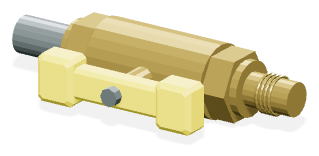
  • Product equipment artwork: a brass gas shutoff valve with a yellow handle.Gas shutoffs
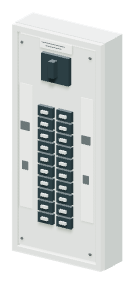
  • Product equipment artwork: a grey electrical breaker panel.Main disconnects & panels
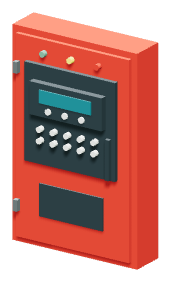
  • Product equipment artwork: a red fire alarm control panel with keypad and display.Fire risers & alarm panels
  • Product equipment artwork: a white tank water heater with supply connections.Water heaters
A technician in a hard hat crouches beside a blue pump and its isolation valve in a concrete plant room.
A booster pump and its isolation valve, on the record.

Find it fast. Know its record.

“When hospital personnel attempted to stop the flow, the shutoff valve turned out to be corroded.”

The record shows where each control is, how to reach it and what its valve log says — and anything still unverified stays in plain sight for the client’s team.

Moves CARSAsset graph completeness · Physical access readinessPlaybook step 05 →

03 · Plans

Plans on file. Shutoffs pinned.

Floor plans come from the client’s admin team, or are on file with the building or fire department where available — or the walk captures them floor by floor. Each sheet is scaled and calibrated, rooms are outlined, and every located control is pinned where it is.

Plan sheet · 0. Basement110 Central Park South · New York, NY 1001921 rooms · 112 assets
CriticalAsset location map for 110 Central Park South: the basement floor plan with its 21 rooms outlined and 112 placed assets marked, floors listed in the left rail.
  1. Main cellar shutoffBasement
  2. Fire room main shutoffFire pump / water service room
  3. Domestic water pumps 01–03Fire pump / water service room
  4. Main fire riserBasement
  5. Pressure-reducing valves 01–04Steam mechanical room

Placed assetRoom outlineLeak sensors LDS-01 · PLS-01 · PLS-02

Where the plans come from

  • The client’s admin & facilities teamDrawings and plan sets they already hold.
  • Building or fire departmentPlans on file, where available.
  • The walk itselfCaptured floor by floor with LiDAR.

From sheet to record · the web app’s plan steps

  1. Rotate & crop
  2. Scale
  3. Room outlines
  4. Equipment
  5. Compare & accept
Web app Plan view of an imported first-floor plan, draft revision 2, calibrated in feet, with tabs Rotate & crop, Scale, Room outlines, Equipment, Compare & accept. Rooms Garage, Hall, Kitchen, Courtyard, Laundry, Living, Bedroom; a pin marks the Main water shutoff.
An imported floor plan, scaled and calibrated, with the main water shutoff pinned in place.

Moves CARSAsset graph completenessPlaybook step 03 →

04 · Wire it up

What feeds what. Traced, not guessed.

Routes are recorded for pipes, power conduit and air ducts, traced where they are visible. Measured spans are solid, unknown spans dashed, estimates dotted — and an estimate never counts as a measurement.

Feed map · domestic cold water

Street service Header HD-CEL-DOM · BP-1 Low zone3rd-floor zone main High zone16th-floor zone main H-MPS-5 · BFP-1 · basementexercised 2025-04-09 · test current Zone branchon the header ZV-T-MIDmid-zone valve Exercise lapsedlast 2024-11 · flagged traced no mid-header section valves · flagged

How a route is drawn

  • SolidMeasured · a surface trace
  • DashedUnknown span · shown as a gap
  • DottedEstimate · never counted as measured

Which valve stops which floor

ControlFeeds, as recordedEvidence
H-MPS-5 · basementThe whole property · utility-sideVerifiedexercised 2025-04-09
HD-CEL-DOM · cellar headerSix zone branchesPartially verifiedno mid-header section valves
ZV-T-MID · tower mid-zoneThe high zone above itPartially verifiedlast exercised 2024-11

“Know where the valves are and what they control. The loss associated with leaks can be increased multifold if no one knows how to shut off the water.”

Moves CARSFed-from / fed-to quality · Isolation controlPlaybook step 04 →

  1. Pipe, power conduit or air duct

    New route sheet over the 3D view with system choices Pipe, Power conduit and Air duct, More systems, the note 'Save photos now. Trace visible routes during a scan.' and a Create route button.
    Routes can be recorded for pipes, power conduit and air ducts, traced where they are visible.
  2. Traced along the wall, in 3D

    Routes screen in 3D: a traced cold-water run along a wall; 'Plant room water run · CW · 2.3 m observed · 1 gap'. Legend: solid surface path, dashed unknown span, dotted estimate; width is symbolic.
    A traced cold-water run: measured spans are solid, unknown spans dashed, estimates dotted.
  3. The same run, in plan

    Routes screen in Plan view on a dark canvas: a wall line and a blue CW route that turns dashed where the span is unknown; legend Wall, Opening, Equipment; 'Plant room water run · CW · 2.3 m observed · 1 gap'.
    The same water run in plan view, with the unknown span still shown as a gap.
  4. Every point says how it’s known

    Plant room water run detail: Evidence & connections, covering not sure, '2.3 m observed · 1 estimated point · 1 gap', Points 1-4 surface trace, Point 5 estimate unverified, 'Estimates are dotted and stay separate from measurements', Add photo from phone or glasses.
    Every point on a route says whether it was traced or estimated; estimates never count as measurements.

Every feed link carries the evidence behind it: a drawing, a photo or a trace.

05 · AR room view & work orders

Send someone to the right room.

A ticket or work order opens straight to the room and the asset it’s about, with safety, access and instructions attached. In a room with a saved alignment, the app can show recorded controls in AR, where they were placed.

Main water shutoff Plumbing Fed from · Not recorded Feeds to · Water heater Utility room · Aligned · 3 assets
The AR room view: the phone shows each recorded control where it was placed, with what’s on record about it.

AR on a saved alignment.

  • Needs a saved alignment“View in AR” works in a room scanned with a LiDAR iPhone or iPad, once its alignment is saved and controls are placed.
  • No alignment? Still findableThe plan and the 3D model show the way — the AR view is a shortcut, not the record.
  • Everything on record, in placeThe view locates a control and shows what’s recorded about it: what feeds it, what it feeds and how to reach it.
TicketRoomAssetPhotos requestedOffice review
  1. The ticket: safety, access, instructions

    Ticket: Field visit, Tower, in progress, 0 of 1 checklist items addressed. Safety: coordinate access with the building engineer. Access: use the basement service entrance. Instructions: photograph the shutoff. Rooms and assigned assets: Plant room.
    A field-visit ticket carries safety, access and instructions with it, room by room.
  2. The work order opens on the asset

    Assigned asset screen opened from a work order: Water main, Plant room, Pending. 'Photograph the label and the surrounding pipework. Locate and document only.' Capture requested photos; Find and verify, asset unconfirmed; Plans & locations; '3D scan requires LiDAR. Take photos now, or record an exception.'
    A work order opens straight to the asset it is about, with the photos it asks for.
  3. The asset keeps its whole record

    Equipment record for Pump P-1, a domestic booster pump, with manufacturer, model and installed serial, and sections Identity, Product, Locations, Specifications, Files, Maintenance, Timeline and Work Orders.
    Each asset keeps its identity, location, files, maintenance and work orders in one record.
  4. Who holds the key travels with the job

    A hand turns a key in a steel plant-room door at dusk, a city skyline beyond.
    Who has the key is part of the record.

Moves CARSPhysical access readiness · Maintenance obligation executionPlaybook step 05 →

06 · Pattern of life

The tickets already know.

Most buildings already log their water trouble in work orders and tickets that nobody reads as a pattern. We bring in that history and compute signals by rules — no model — and every signal cites the tickets behind it.

Water tickets by stacked line and floor · 12 months

Stacked line →

Shows tickets that name a floor and a line. Roof, basement and lobby tickets are counted elsewhere.

How to read the map

  • One cellOne stacked line on one floor.
  • BrighterMore water tickets in 12 months.
  • A bright columnThe same stack, floor over floor — the place to look first on the walk.
Water tickets, month by month68 in 12 months · each dot is a ticket · shaded months are the seasonal peak

The signals · computed by rules · each cites its tickets

Six questions the history answers.

Every signal is arithmetic over the building’s own tickets. Open one and you see the tickets it came from.

Response time

Ticket opened to first response.

38 min mediancites 68 tickets

Closure discipline

Closed with a note, a cause, a photo — or just closed.

86% closed with a notecites 64 tickets

Backlog age

How long water tickets stay open.

4 open > 30 dayscites 4 tickets

Seasonality

When in the year the water trouble clusters.

Oct–Jan 30 of 68 ticketscites 68 tickets

Recurrence

The same trouble, in the same place, again.

Riser B 3 leak tickets · 90 dayscites 3 tickets

Clustering by riser & line

Water requests per stacked line, floor over floor.

Line 04 floors 12–17 · 7 ticketscites 7 tickets

Can’t be computed? It says so. If an export has no first-response times, response time reads “cannot be computed” — never a guess.

Where the history comes from.

AskCFO + IT · Playbook step 07 →

  • A work-order exportFrom the system the client already runs.
  • A connectionSet up case by case.
  • Onboarding work ordersNo system yet? We start one.
RulesNo model
SignalsEach cites its tickets
Moves CARSMaintenance obligation executionTime-series evidence quality

Leak and flow sensors come in through IoT partners, where the client already has them.

0With no dated ticket history on record, CARS’s time-series category scores zero. One export changes that.

Free · no cost, no obligation

Open the door with a free report.

Offer any client a free Emergency Controls Report. We map the building’s floor plans and emergency controls and hand over a report they keep — the first, no-cost move of the loss-control playbook.

  • Floor plans, mappedThe client’s existing plans brought into one record — or captured on site, floor by floor.
  • Emergency controls locatedWater and gas shutoffs, main disconnects, panels and fire risers — located, photographed and pinned where they are.
  • An emergency plan, drafted with their teamWhere each control is, who to call and who holds the keys — prepared with the client’s people and reviewed by ours.
  • Theirs to keepThe report as a PDF, with the mapped floor plans. The client owns the data.
An engineer in a hard hat and safety vest holds a large drawing sheet up against a wall of pipes.
Drawings matched to what is actually on the wall.

You bring the client. We bring the proof.

Send one address. We research the building, start its record and book the free Emergency Controls Report walk — then hand you evidence to take to market.

Sources on this page

  1. FM — “Simple solutions to prevent liquid damage”, Dr. Louis Gritzo, 2026: the “nearly nine out of 10” liquid damage claims and the corroded hospital shutoff valve.
  2. AXA XL Risk Consulting — WaterWorks, 2019: “Know where the valves are and what they control.”

Every market source on the site: the Sources list →